Prepare sources
Keep video/photos, SRT, EXIF, GPX, KML, CSV, and shapefile sources together by project or reach.
 Ask a question
Quick start
Use this quick start to understand the launch workflow: add a repository, index geometry, open media from the map or library, compare repeats, capture features, and export evidence.
Keep video/photos, SRT, EXIF, GPX, KML, CSV, and shapefile sources together by project or reach.
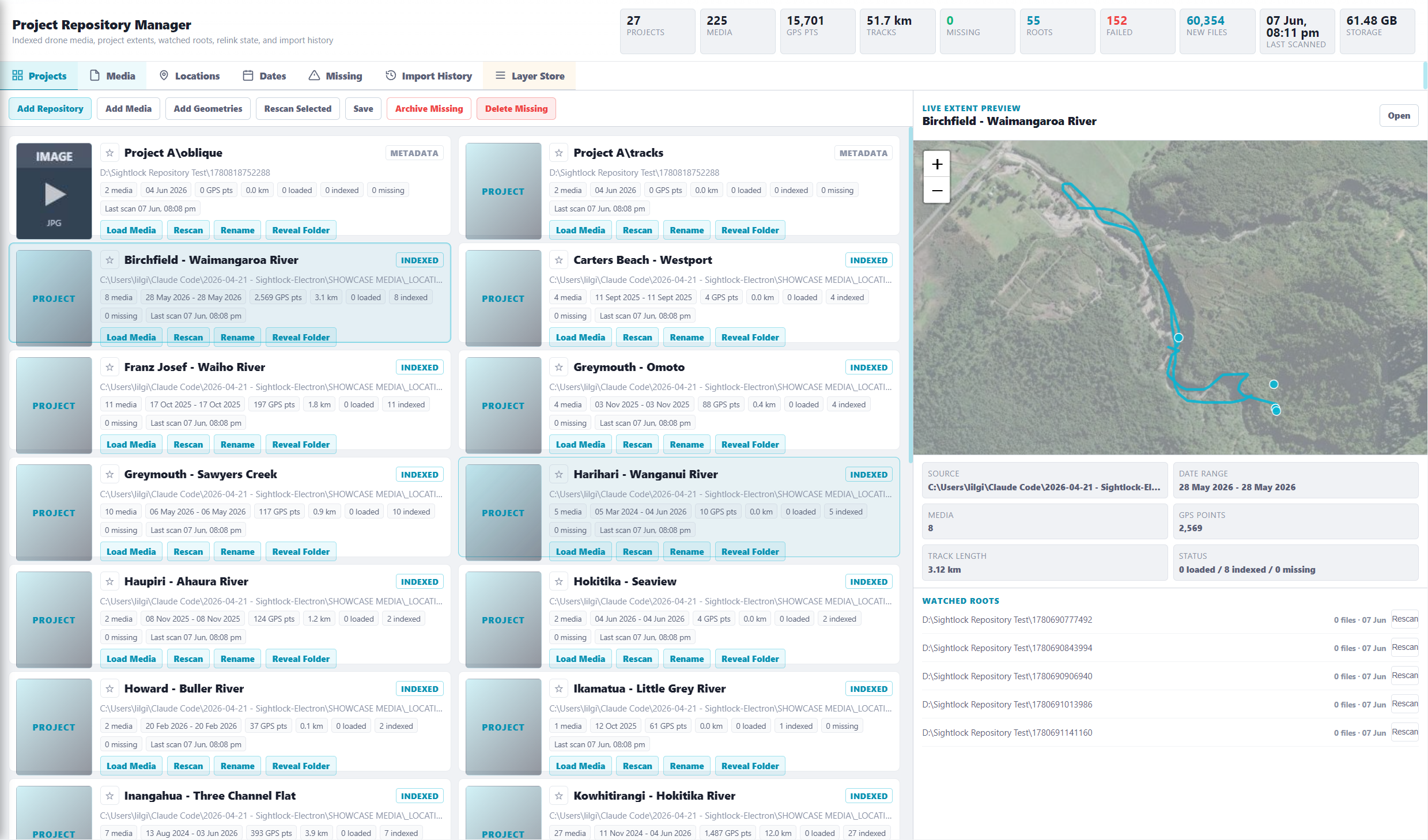
Add the folder as a repository, generate thumbnails, parse telemetry, and save media geometry.
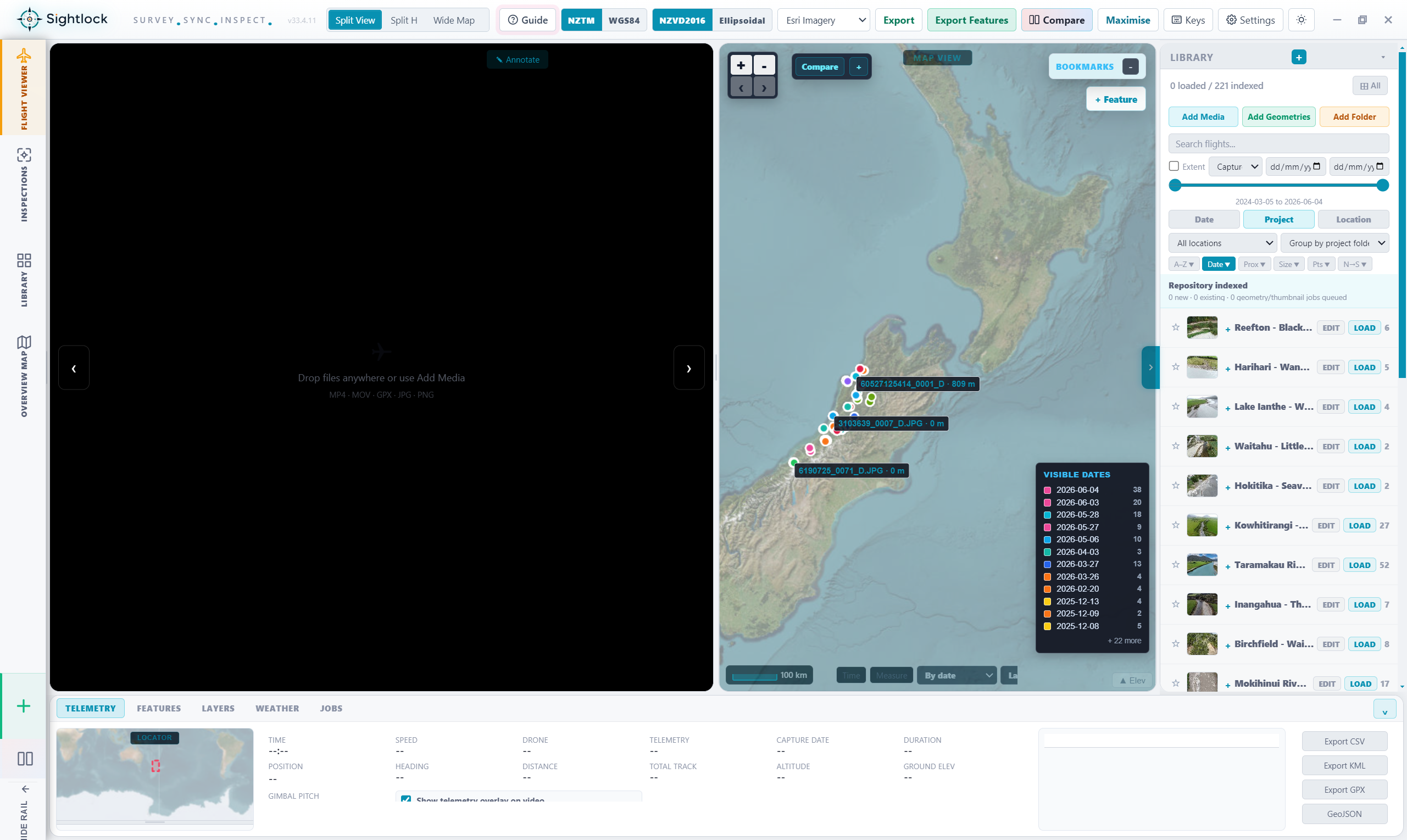
Open Flight Viewer from the map, project cards, media rows, or visible extents.
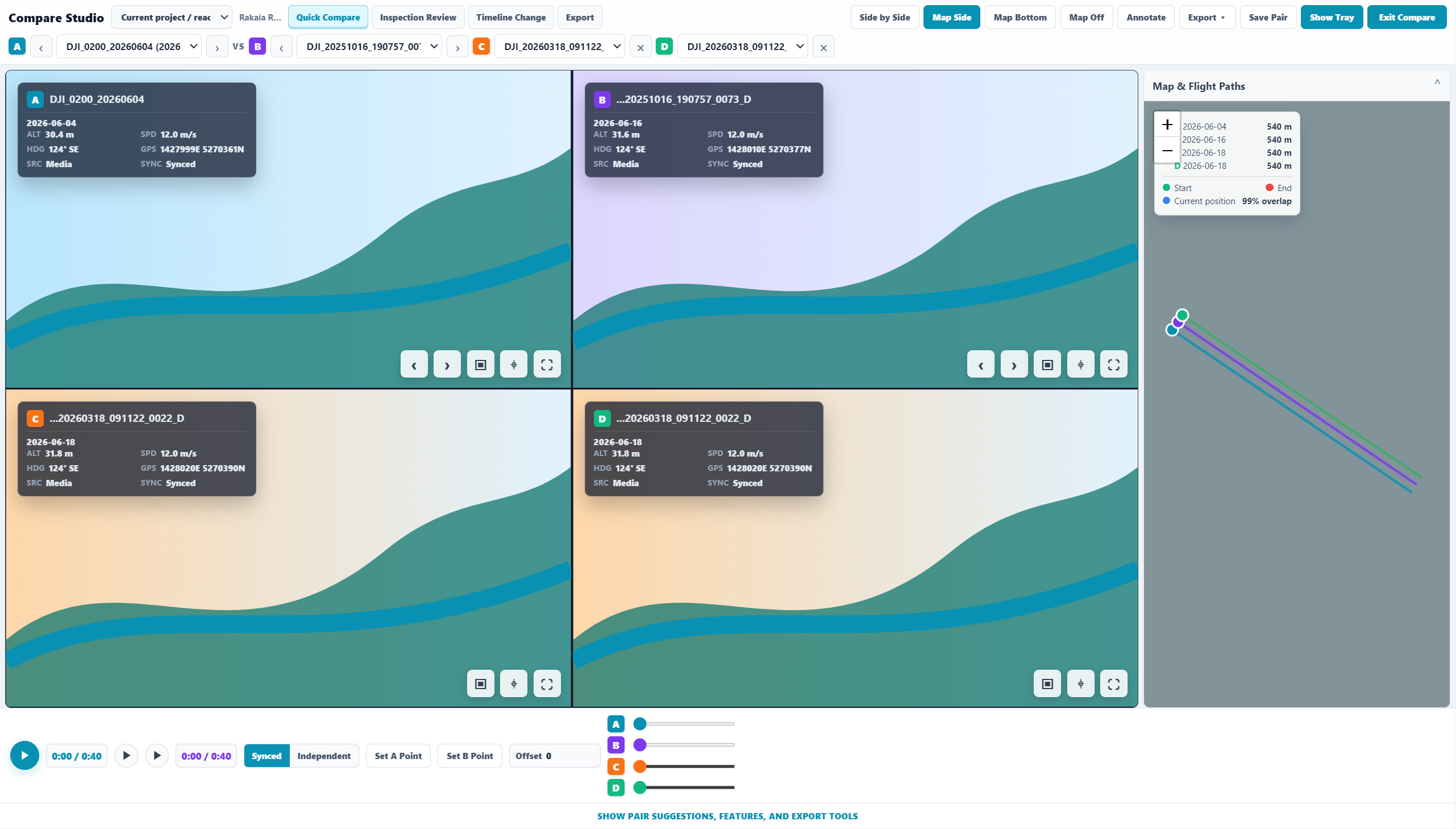
Use Compare Studio, capture features, and send evidence through the Export Station.
Choose a project folder that contains drone videos, photos, SRT files, telemetry, GPX/KML/CSV, or geometry files. Sightlock indexes geometry so the map can remain useful without loading every media file.
Load media from the right library rail, inspect video alongside the map, and use the bottom drawer for telemetry, features, layers, weather, info, and jobs.
Open Compare Studio from the active media. Sightlock should preload the current flight as A and suggest the best path-similarity match as B.
Add map features, review inspection evidence, and export screenshots, synced clips, CSV, KML, GPX, GeoJSON, or shapefile packages from the export flow.
DJI workflows first: MP4/MOV, image EXIF, DJI embedded telemetry, SRT, GPX, KML, CSV, and phone GPS where supported by the app. Additional drone and sensor suppliers should be treated as roadmap items until tested.
Read the full workflow explainerProtected download access, beta/stable release channels, installer manifest, SHA256 hash proof, rollback, and code-signing plan.
Read release workflowPrivacy, terms, refunds, cookies, machine-binding disclosure, security contact, and account protection notes.
Launch pages for councils, engineers, surveyors, utilities, and drone operators.
Browse industriesVisual guide
These screenshots should become short product walkthroughs once the app reaches release-candidate polish.